
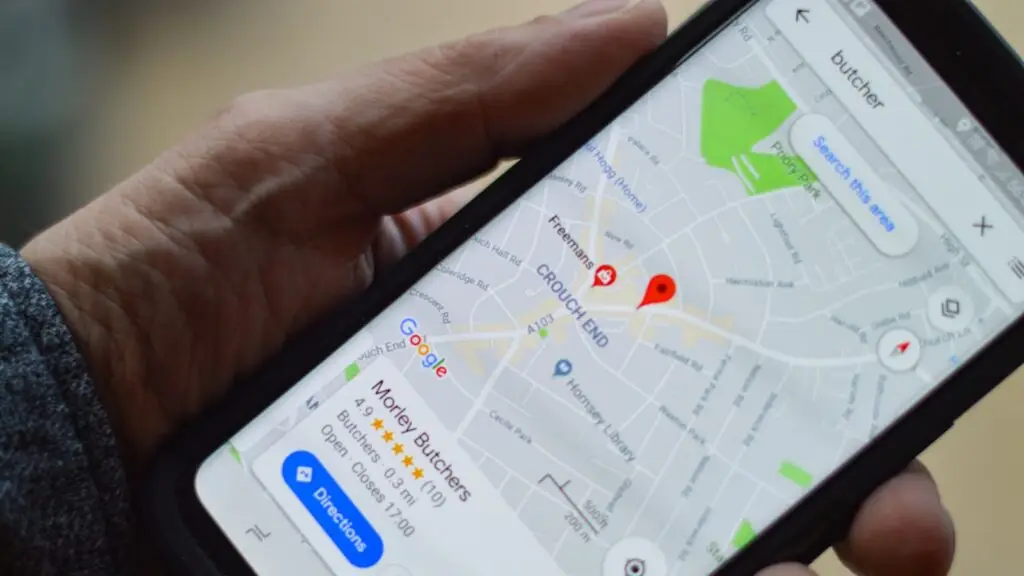
Google Business Profile optimization is the process of completing, verifying, and actively managing your free Google listing so it ranks higher in Google Maps and the local search results. Done right, it puts your business in front of people searching nearby with intent to buy, which drives calls, direction requests, and store visits.
Your profile is often the first thing a customer sees, before your website. For many local searches it decides whether you get the call or your competitor does. This guide walks you through what to optimize, in what order, and how to keep the results.
- Completeness wins. A fully filled profile with the right primary category is the single biggest ranking lever you control.
- Reviews drive both ranking and clicks. Volume, recency, and your replies all matter.
- Consistency counts. Your name, address, and phone number must match everywhere online.
- Activity is a signal. Fresh photos, posts, and answered questions tell Google the business is alive.
- Relevance, distance, and prominence are the three factors Google uses to rank local results.
What is Google Business Profile and why does it matter?
Google Business Profile (formerly Google My Business) is the free listing that shows your business in Google Search and Google Maps. It powers the map pack, the block of three local results that appears above the standard links for local queries.
That placement is valuable because it captures high-intent searches. Someone typing “plumber near me” or “best tacos in Tampa” is ready to act. Google reports that a large share of these searches lead to contact within a day, according to its own Think with Google research. A weak profile means you miss those people entirely.
How does Google rank local business profiles?
Google ranks local results using three core factors, spelled out in its own local ranking guidelines. Understanding them tells you where to spend effort.
- Relevance: how well your profile matches what the person searched. Categories, services, and your business description drive this.
- Distance: how close you are to the searcher or the location in their query. You cannot fake proximity, but you can strengthen everything else.
- Prominence: how well known and trusted your business is. Reviews, links, and overall web presence feed this.
You control relevance and prominence directly. That is where optimization pays off. For a wider view of how these pieces fit together, see our guide to local SEO for small businesses.
The Google Business Profile optimization checklist
Work through these steps in order. Each one builds ranking signals or improves how customers respond to your listing.
- Claim and verify your profile. Search your business name, claim the listing, and complete verification by video, phone, or postcard. Unverified profiles do not rank.
- Set the right primary category. Choose the most specific category that describes your core business. This is one of the strongest relevance signals. Add secondary categories for other services.
- Complete every field. Hours, phone, website, service area, attributes, and opening date. Google favors profiles that leave nothing blank.
- Write a clear business description. Use 750 characters to explain what you do, who you serve, and where. Lead with your main service and location.
- Add your products and services. List them with names, descriptions, and prices when possible. This expands the queries you can match.
- Upload real photos. Storefront, interior, team, and work samples. Businesses with photos get more requests for directions and clicks to their website.
- Turn on messaging and Q&A. Answer questions yourself before customers post their own. Fast replies build trust.
- Publish posts regularly. Offers, updates, and events keep the profile active and give Google fresh content.
- Build and answer reviews. Ask happy customers, then reply to every review, positive or negative.
- Fix your NAP everywhere. Make sure your name, address, and phone match across your site and every directory.
OCA11 Agency
Let’s grow your business
Get a free strategy call with our Google & Meta Partner team. No fluff, no pressure.
How important are reviews for ranking?
Reviews are one of the strongest prominence signals and one of the biggest drivers of clicks. Google weighs review count, average rating, recency, and whether the business replies. A steady flow of recent five-star reviews beats a pile of old ones.
Ask for reviews at the moment a customer is happiest, right after a good result. Send a short link that opens the review form directly. Reply to each one within a few days, thank the reviewer, and address complaints calmly. Our guide on how to get more Google reviews covers scripts and timing in detail.
Never buy reviews or post fake ones. Google detects patterns, removes them, and can suspend the profile. The risk is not worth it.
What should you post and update each week?
A profile you set and forget slowly loses ground. Google rewards signs of an active business, and customers trust listings that look current. Keep a light weekly rhythm.
- Publish one Google post: an offer, a tip, or a piece of news.
- Add two or three fresh photos from recent work or the location.
- Reply to every new review and message.
- Answer any new questions in the Q&A section.
- Check that your hours are correct, especially before holidays.
This takes about 30 minutes a week and compounds over time. Consistency matters more than volume.
How do you track results and avoid common mistakes?
Use the performance tools inside your profile to see how customers find and act on your listing. Watch the trends, not single days, and tie effort to outcomes.
| Metric to track | What it tells you |
|---|---|
| Search views | How often your profile appears, split by direct and discovery searches. |
| Calls | How many people tapped to call, a strong sign of buying intent. |
| Direction requests | How many wanted to visit in person, useful for storefronts. |
| Website clicks | How many moved from the profile to your site to learn more. |
The most common mistakes are simple to avoid: leaving fields blank, picking a category that is too broad, letting hours go stale, ignoring reviews, and stuffing keywords into the business name. That last one violates Google policy and can get the listing suspended.
Is profile optimization better than paid ads?
They serve different goals, and the best local strategies use both. Profile optimization builds a durable, free presence that keeps working after the effort is done. Paid ads buy visibility fast but stop the moment the budget stops.
For most small businesses, a strong profile is the foundation and ads accelerate specific pushes. We break down the trade-offs in our comparison of local SEO vs paid ads so you can decide where each dollar goes.
Frequently Asked Questions
How long does it take to see results from optimization?
Basic fixes like categories and completeness can shift rankings within a few weeks. Prominence signals like reviews and links build slower, usually over two to three months of steady activity. Local SEO rewards consistency, so keep the weekly routine going.
Is Google Business Profile really free?
Yes. Claiming, verifying, and managing your profile costs nothing. Google earns money from ads, but the listing itself and all its features are free. Any service charging just to set up a basic profile is charging for their time, not for Google access.
Can I have more than one profile for my business?
Only if you have separate physical locations, one profile per location. Creating multiple profiles for a single location violates Google policy and can trigger a suspension. Service-area businesses without a storefront use one profile with a defined service area.
What happens if my profile gets suspended?
Your listing disappears from Search and Maps until reinstated. Suspensions usually stem from policy violations like keyword stuffing, fake reviews, or a wrong address. Fix the cause, then file a reinstatement request through Google support with accurate business details.
Turn your profile into a customer engine
A well-optimized Google Business Profile is one of the highest-return moves a local business can make. It is free, it compounds, and it reaches people at the exact moment they are ready to buy. The work is straightforward once you follow the checklist and keep a weekly rhythm. If you would rather have a team handle it and pair it with a full local strategy, book a meeting with OCA11 and we will map out your next steps.